ShopGoodwill Max Bid Calculator Guide
Knowing what to bid on ShopGoodwill is half research and half discipline. Most losses are not “bad inventory.” They are bidding past the number where shipping, fees, and resale still leave a profit.
The free ShopGoodwill Max Bid Calculator was built for that exact decision. Paste a listing, check eBay sold prices, and get one walk-away max bid. No signup.
This guide shows every screen, what each field means, and how to use the result without overthinking it.
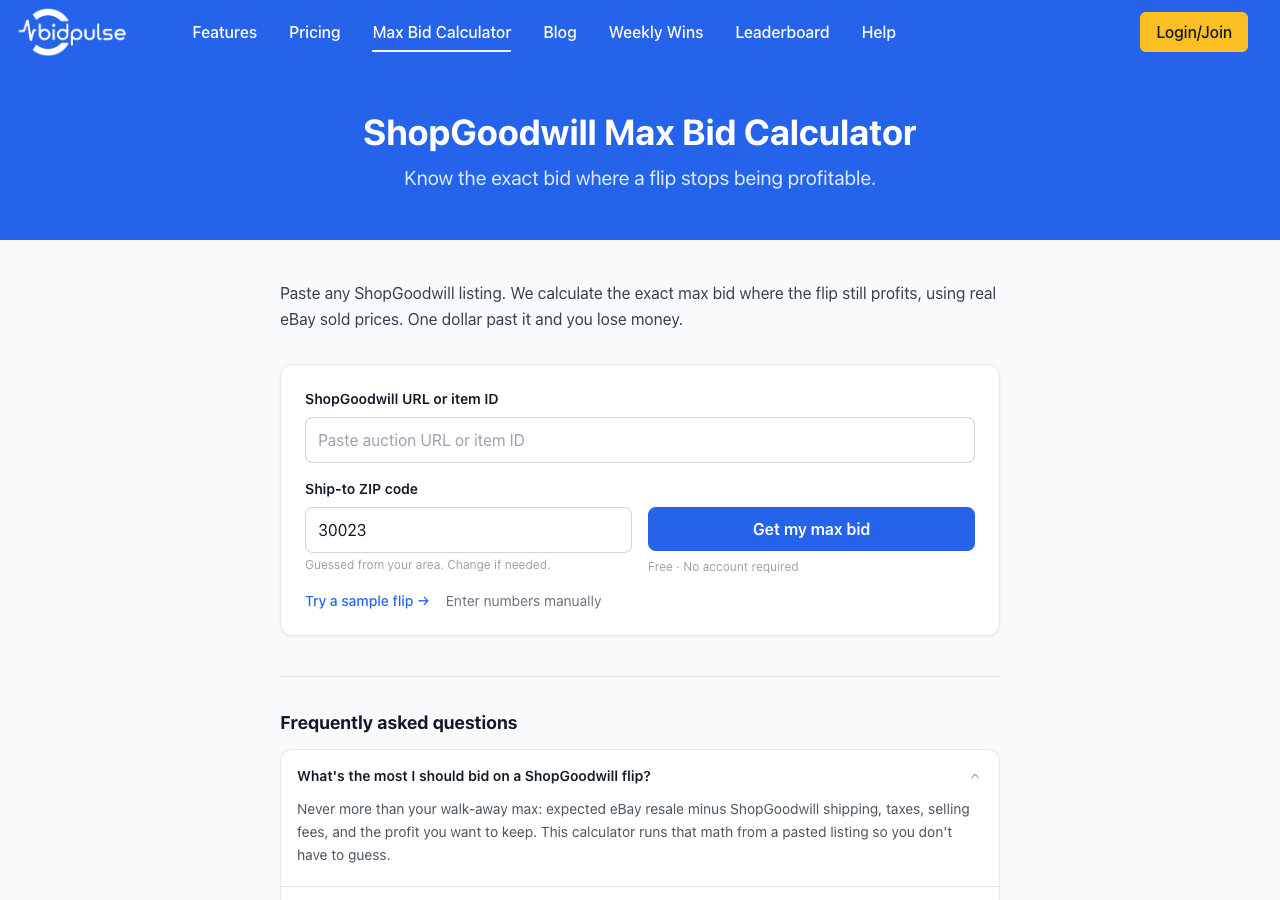
What the ShopGoodwill Max Bid Calculator does
In plain English, the tool answers: “What is the highest bid I can place and still hit my profit goal?”
It does the boring parts for you:
- Loads the ShopGoodwill listing (title and current bid)
- Quotes ShopGoodwill shipping and handling to your ZIP when available
- Opens eBay sold search from the listing title (you paste sold prices or type expected resale)
- Lets you import those prices into Expected resale (you can still edit it)
- Subtracts marketplace fees, optional tax, outbound shipping, and your target profit
- Shows your max bid and a breakeven bid
If that number is below the current bid, the tool tells you not to buy. That message is a feature, not a bug.
Step 1: Open the free tool
Go to the Max Bid Calculator.
You do not need a BidPulse account for this page. Use it logged out or logged in. The page is free and public.
You need:
- A ShopGoodwill listing URL or item ID (the number in the listing URL)
- The ZIP code where the item would ship
Step 2: Paste the listing and your ZIP
Paste the full ShopGoodwill URL, or just the item ID. Enter your ship-to ZIP. The ZIP is often guessed from your area; change it if the quote would go somewhere else.
Click Get my max bid.
Listing and shipping load first. Then open eBay sold search, paste sold prices, or type expected resale.
Step 3: Read the item details and eBay comps
When the listing loads, you should see the title, current bid, and ShopGoodwill shipping. Then open eBay sold search and paste or type a resale price.

What to check here:
| Field | What it means | What you should do |
|---|---|---|
| Current bid | Standing high bid on ShopGoodwill | Compare later to your max bid |
| ShopGoodwill shipping + handling | Live quote to your ZIP when available | Edit if you expect a combined-order rate |
| Expected resale | Price you typed or imported from eBay solds | Edit if comps are weak or condition differs |
| eBay search terms | Query used to open sold search | Shorten or refine, then open the link again |
| Paste sold prices | Numbers you copy from the eBay tab | Import to fill Expected resale |
Important: Resale is what you enter or import from eBay sold listings you viewed. ShopGoodwill does not publish sold prices the same way. Treat the number as a starting point, then confirm with your eyes.
If titles look off (wrong model, wrong set size, parts-only listings), edit Expected resale yourself. The max bid follows the number you leave in that box.
Step 4: Set your costs and profit goal
Scroll to Your costs and goal.
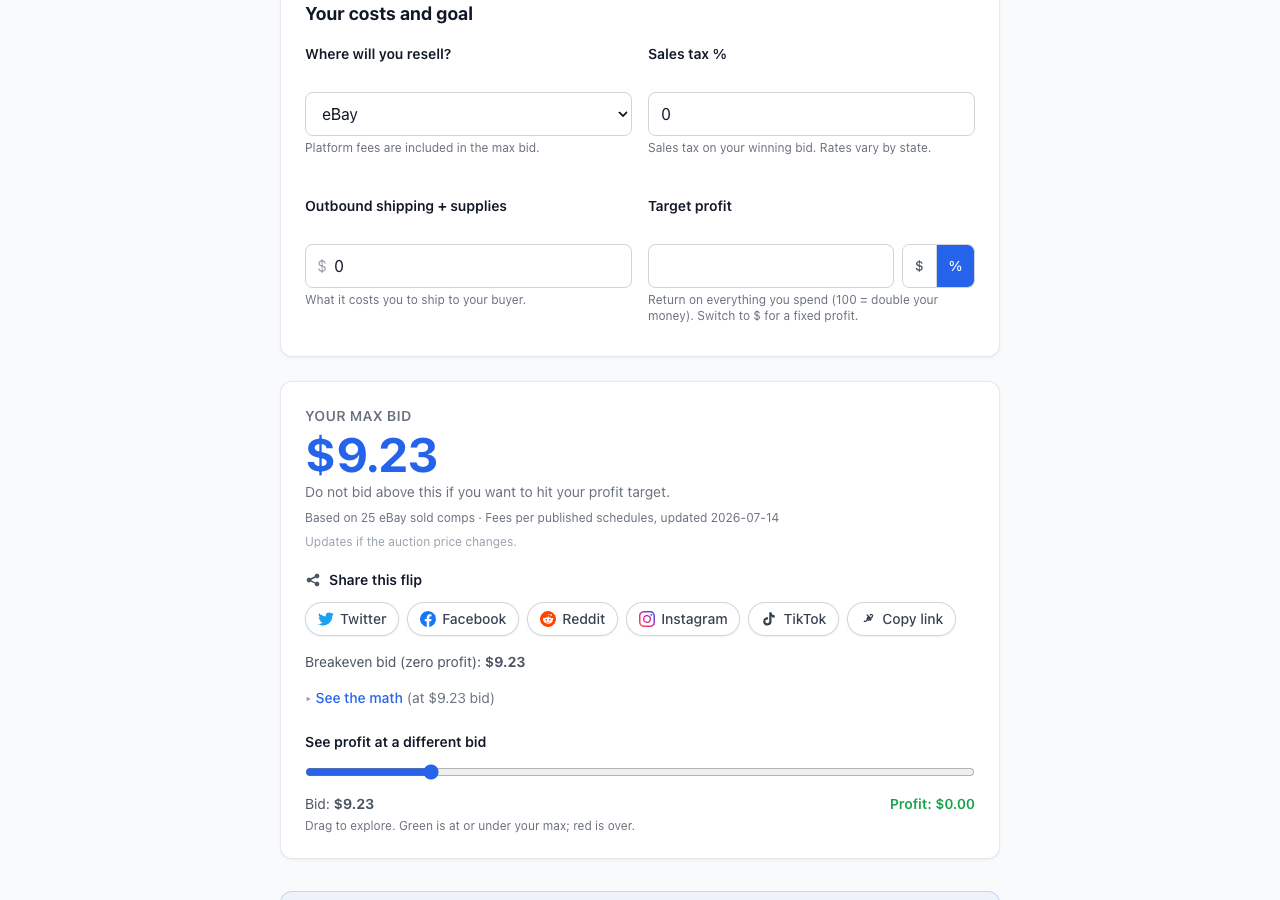
Fill in what is true for you:
- Where will you resell? eBay, Mercari, Poshmark, Facebook/local, or keep it. Platform fees are estimated from published schedules.
- Sales tax % if your winning bid plus ShopGoodwill shipping will be taxed
- Outbound shipping + supplies what you expect to spend shipping to your buyer
- Target profit as a percent of what you spend, or switch to $ for a fixed dollar profit
Target profit tips:
- Leave it blank (or 0) if you only want a breakeven walk-away number
- Use 100% if you want to roughly double your all-in cost after fees
- Use a fixed $ amount when you know the profit you need on that flip
Step 5: Use YOUR MAX BID as a hard stop
The big number under YOUR MAX BID is the walk-away ceiling for this flip at your current inputs.
In the example above, with about $25 expected resale, ~$12 ShopGoodwill shipping, eBay fees, and no extra profit target, the tool returned a low single-digit max bid. That is the point of the calculator: shipping and fees can wipe out a “cheap” current bid.
How to use the number:
- If YOUR MAX BID is above the current bid, you still have room. Decide whether to bid now or wait for a last-second snipe.
- If it is below the current bid, skip the auction or wait for a better listing.
- Drag See profit at a different bid to see how profit changes as the hammer price moves.
- Open See the math when you want the fee breakdown.
One dollar past your max bid is where the flip stops meeting your goal. Treat that line as a rule, not a suggestion.
How to refine weak eBay comps
Long or odd ShopGoodwill titles often confuse search. Use this sequence:
- Shorten eBay search terms to the brand + model + distinctive words (drop “Set 2,” accessory fluff, and seller noise)
- Click Open eBay sold search → and skim the first page yourself
- Paste sold prices and click Import, or type the resale price you believe into Expected resale
The calculator is fastest when the solds you paste match the item. Your judgment still wins when the item is unusual.
Common mistakes this tool prevents
- Bidding on “current bid” without shipping
- Using eBay asking prices instead of sold prices
- Forgetting seller fees on the resale platform
- Setting a “max bid” on ShopGoodwill that was never connected to profit math
- Ignoring outbound shipping and supplies on the sell side
For how ShopGoodwill’s own proxy max bid works once you decide your number, see ShopGoodwill proxy bidding: what your max bid really does and the beginner strategy guide ShopGoodwill bidding tips for beginners.
Free tool vs BidPulse snipes
| Max Bid Calculator | BidPulse snipes | |
|---|---|---|
| Cost | Free | Paid plans / trial |
| Account | Not required | Required |
| Job | Decide the walk-away number | Place your bid in the final seconds |
| Best for | Resellers and cautious buyers checking profit | Winning auctions you already priced correctly |
Use the calculator first. If the number still makes sense near the end of the auction, BidPulse can fire that max bid for you so you are not glued to Pacific Time clocks.
Open the free Max Bid Calculator →
Try it on your next listing
Pick any live ShopGoodwill item you are tempted to bid on. Run it through the calculator before you raise your max.
When you already know your walk-away number and want help placing it in the final seconds, start a BidPulse trial. The tool decides the price. BidPulse helps you keep the discipline at close.